One job, start to finish.
12 screens from the real app, with demo data. Click through at your own pace.
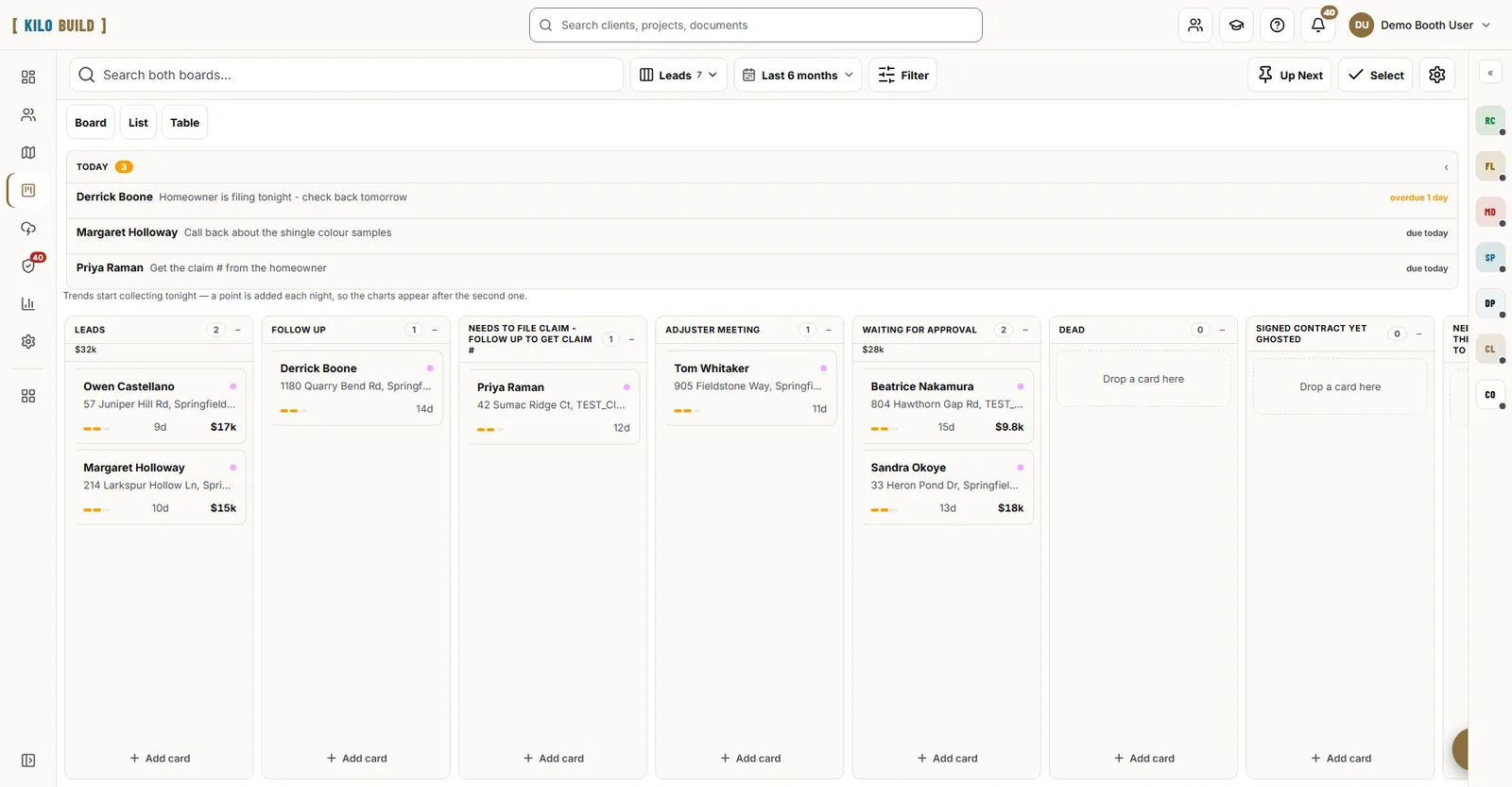
A lead comes in
Every lead lands on one board, whether a rep or a referral brought it in.
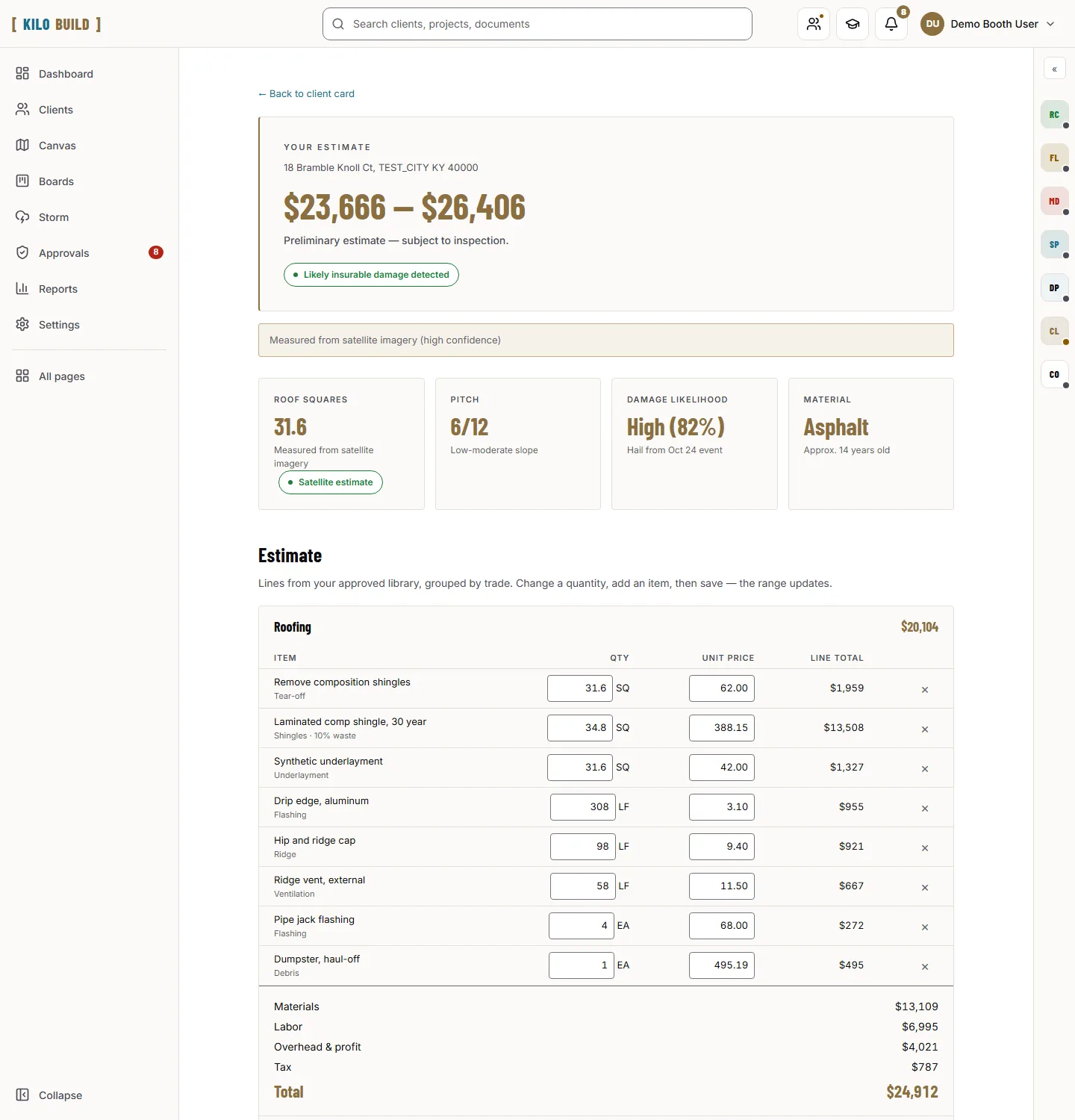
The homeowner gets a price
Give a roofing price range in minutes, right from Kilo. A version for your own website is coming. You build the real quote from the same job.
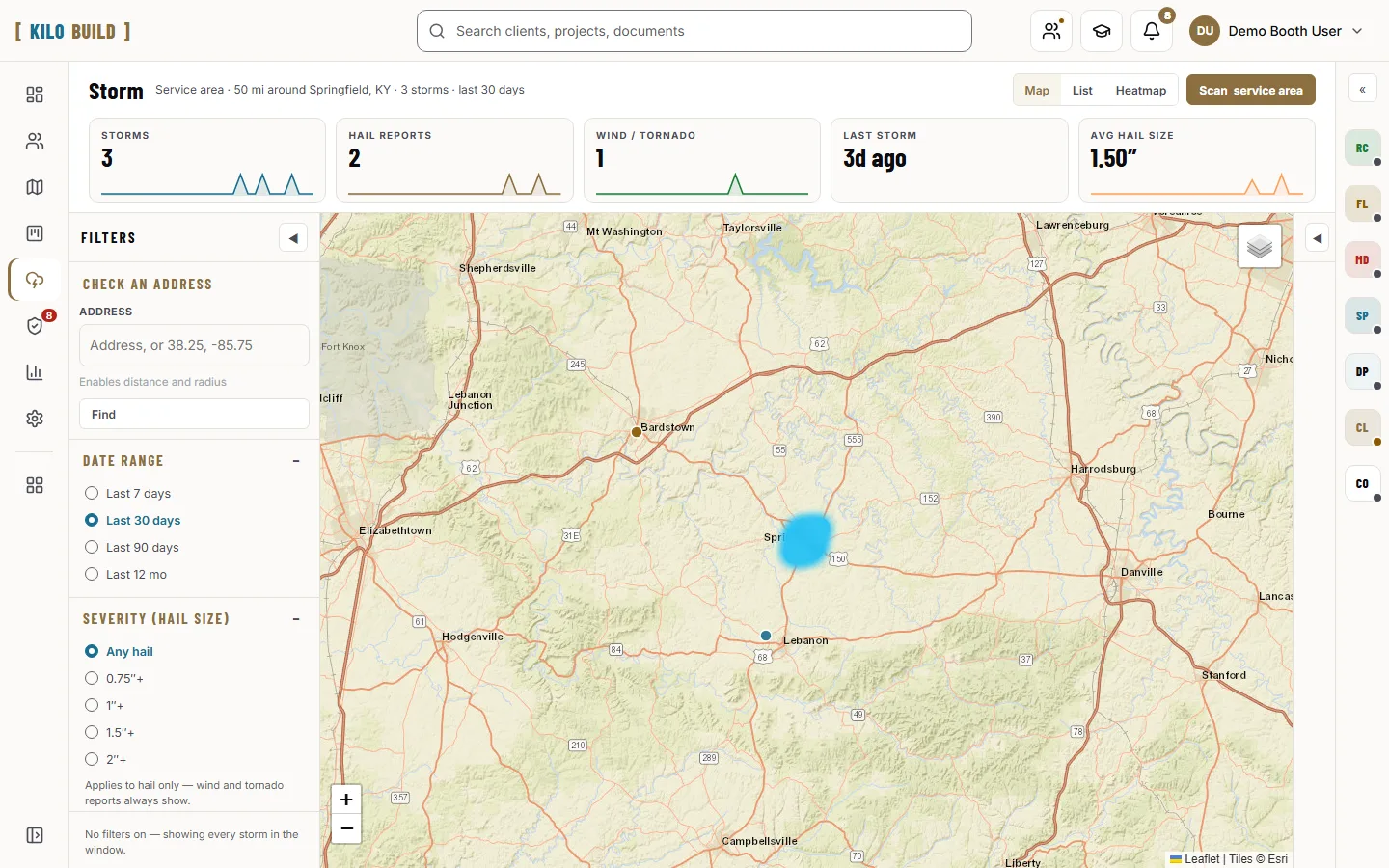
Start where the storm hit
See where the storm hit and which of your customers were in its path. Door lists, routes and alerts are rolling out.
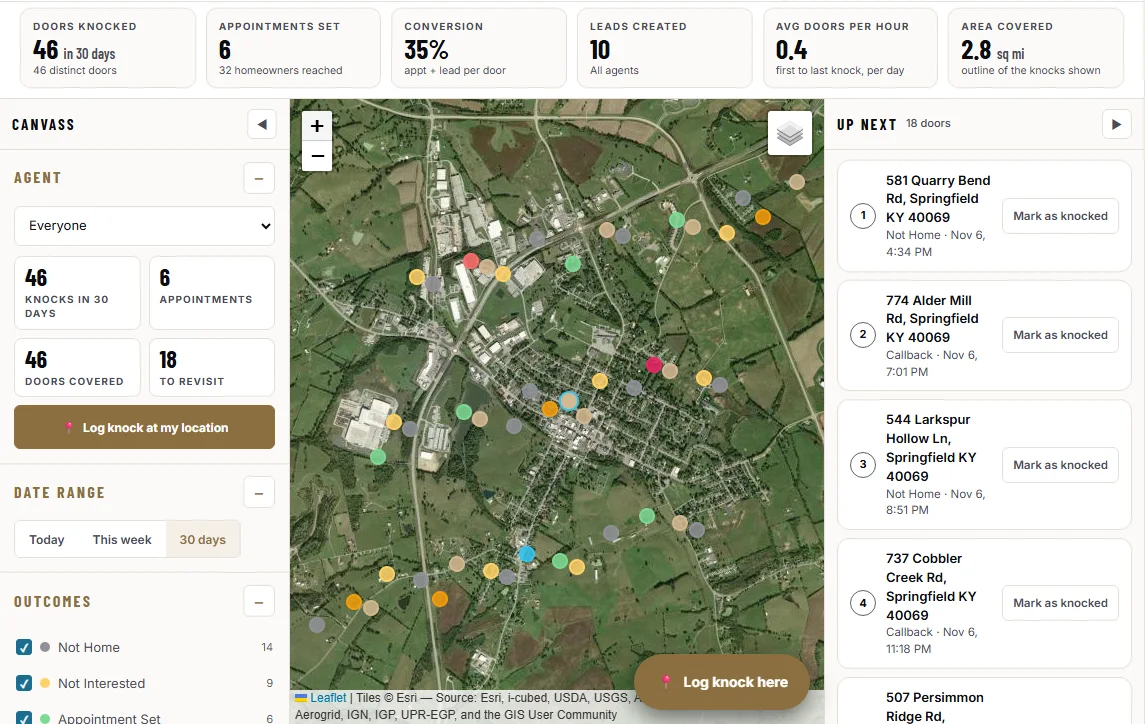
Know every door you knock
Pin every knock by outcome on the territory map, and turn an interested homeowner into a lead in one tap. How door knocking works
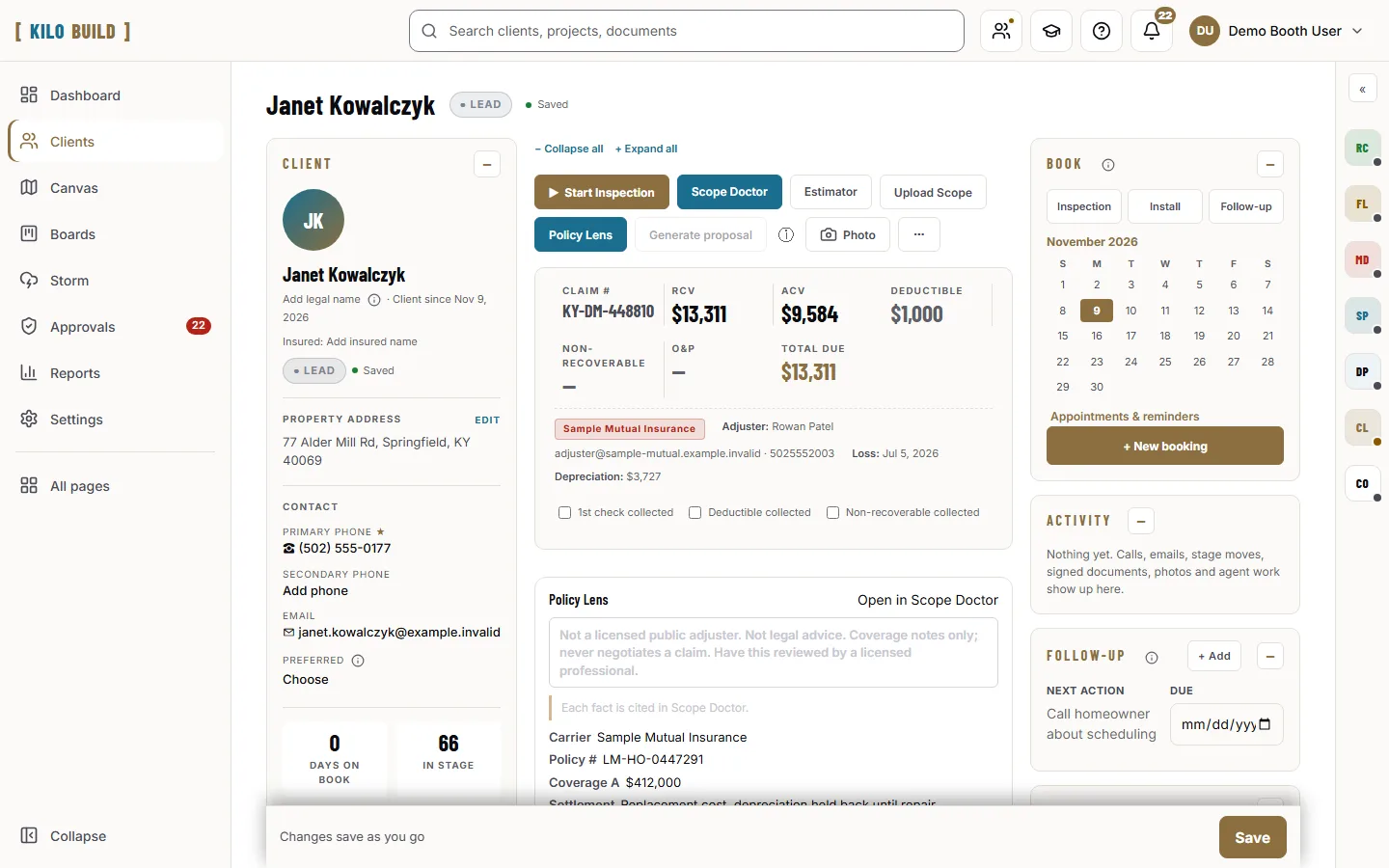
Everything on one card
Photos, notes, documents and money for the job, with the Policy Lens and Scope Doctor buttons right in the header.
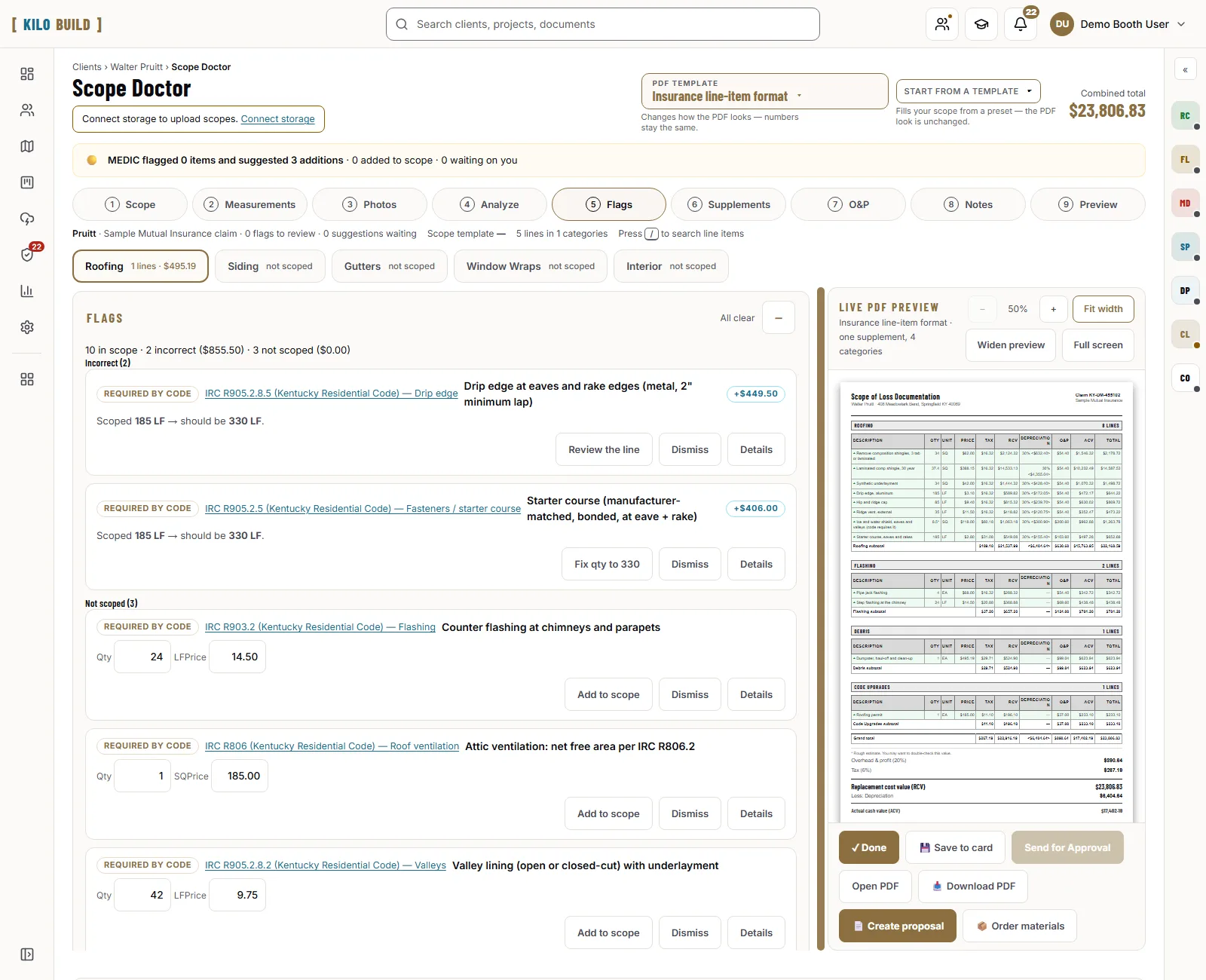
What the insurance scope missed
Three lists, in scope, incorrect and not scoped, each with the code behind it and a one-click Add. See Scope Doctor
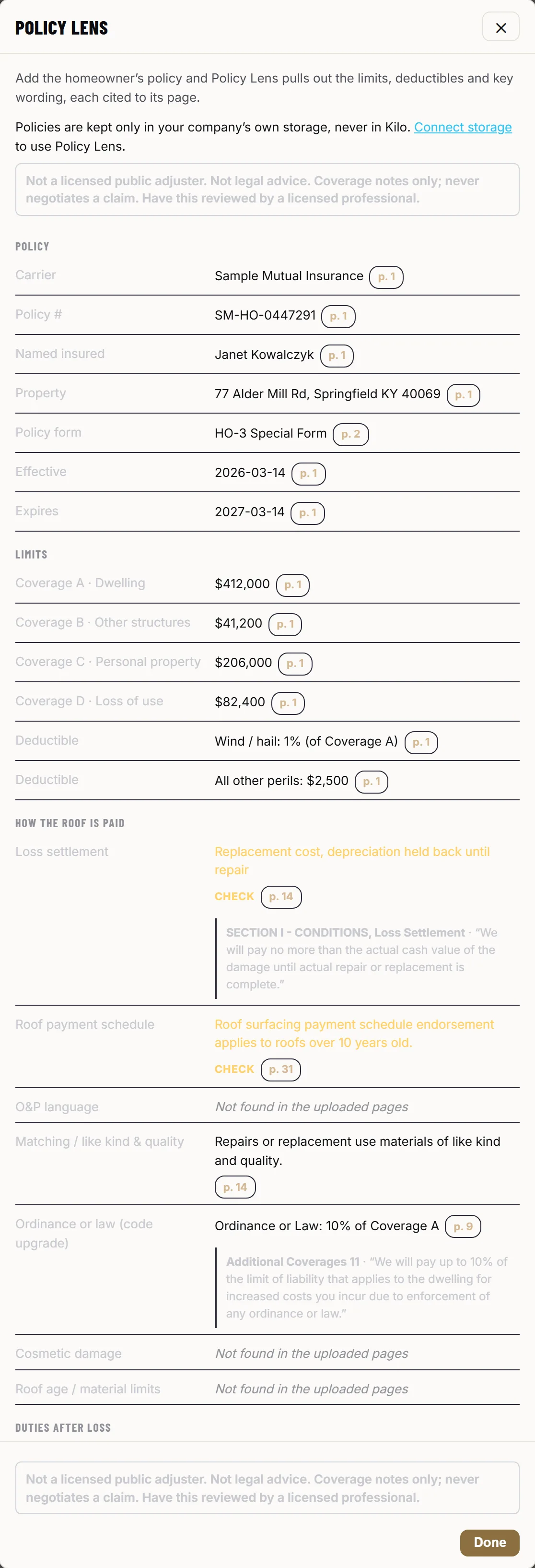
The policy, in its own words
Every point quoted from the policy pages with the page it came from, and “Not found” where the pages are silent. See Policy Lens
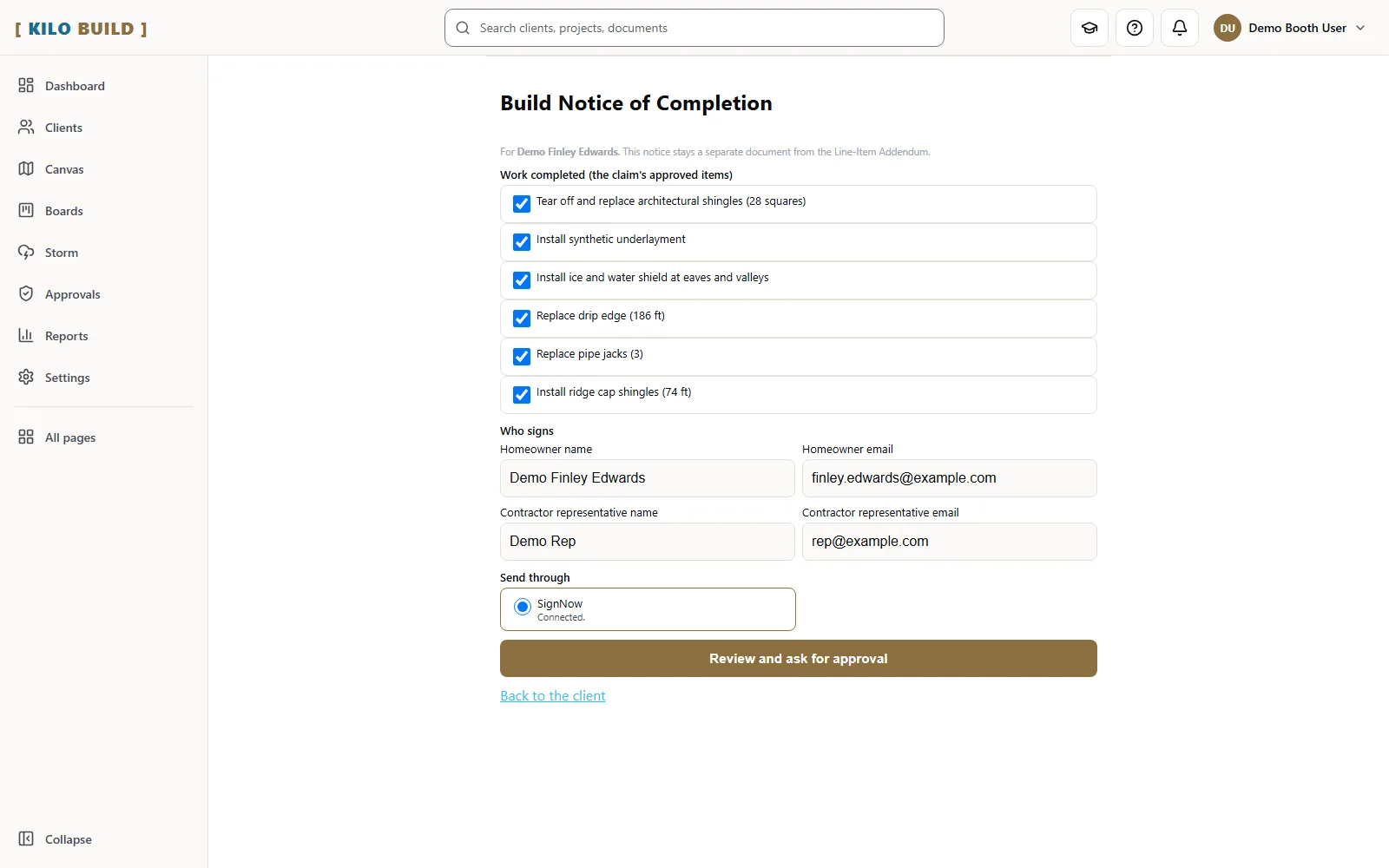
Documents that fill themselves in
The NOC (Notice of Completion) is built from the work the claim already approved. Tick what was done, name who signs and ask for approval. Nothing goes to the homeowner until an admin approves it.
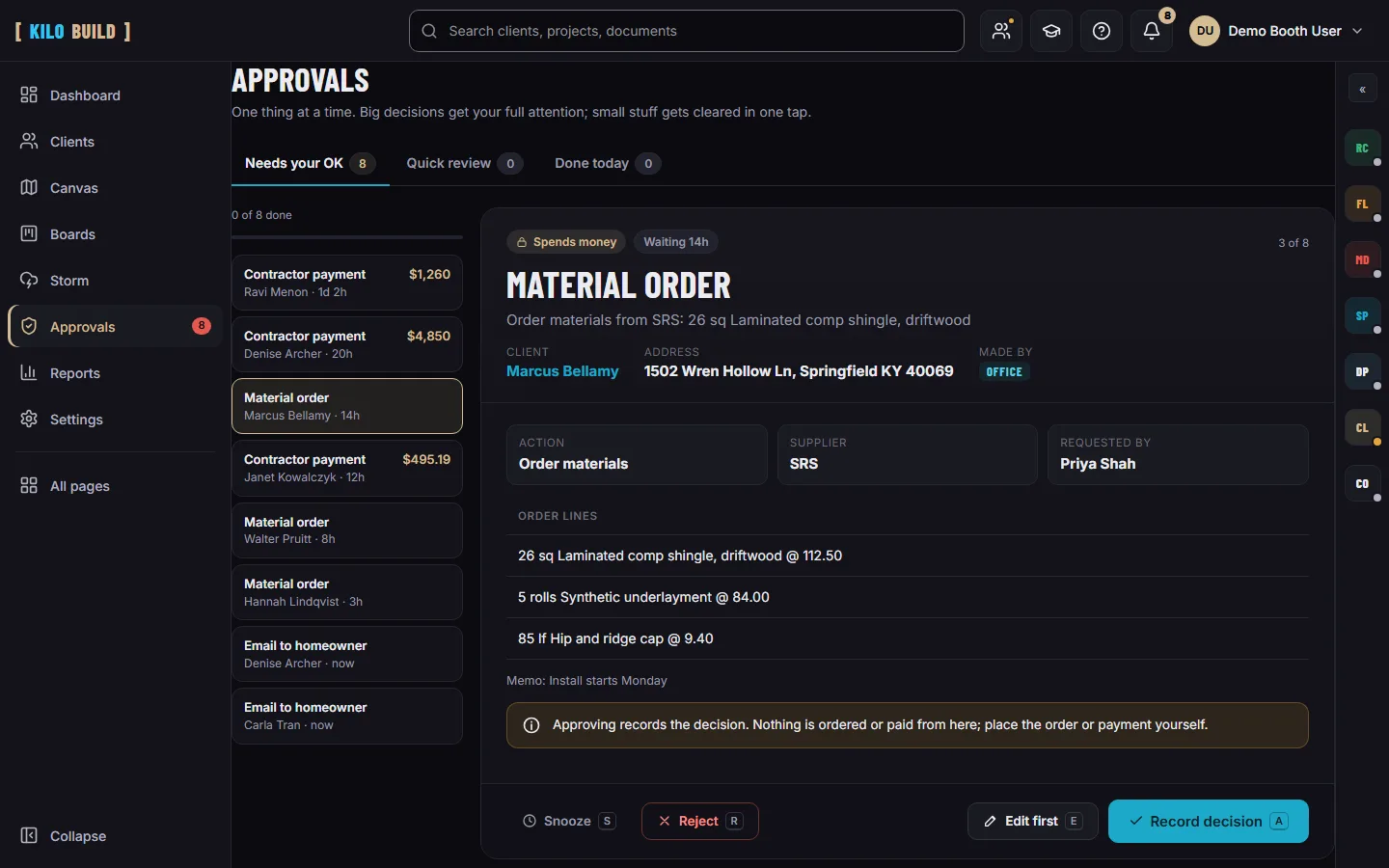
You approve what goes out
Nothing reaches a homeowner or leaves the company until a person approves it.
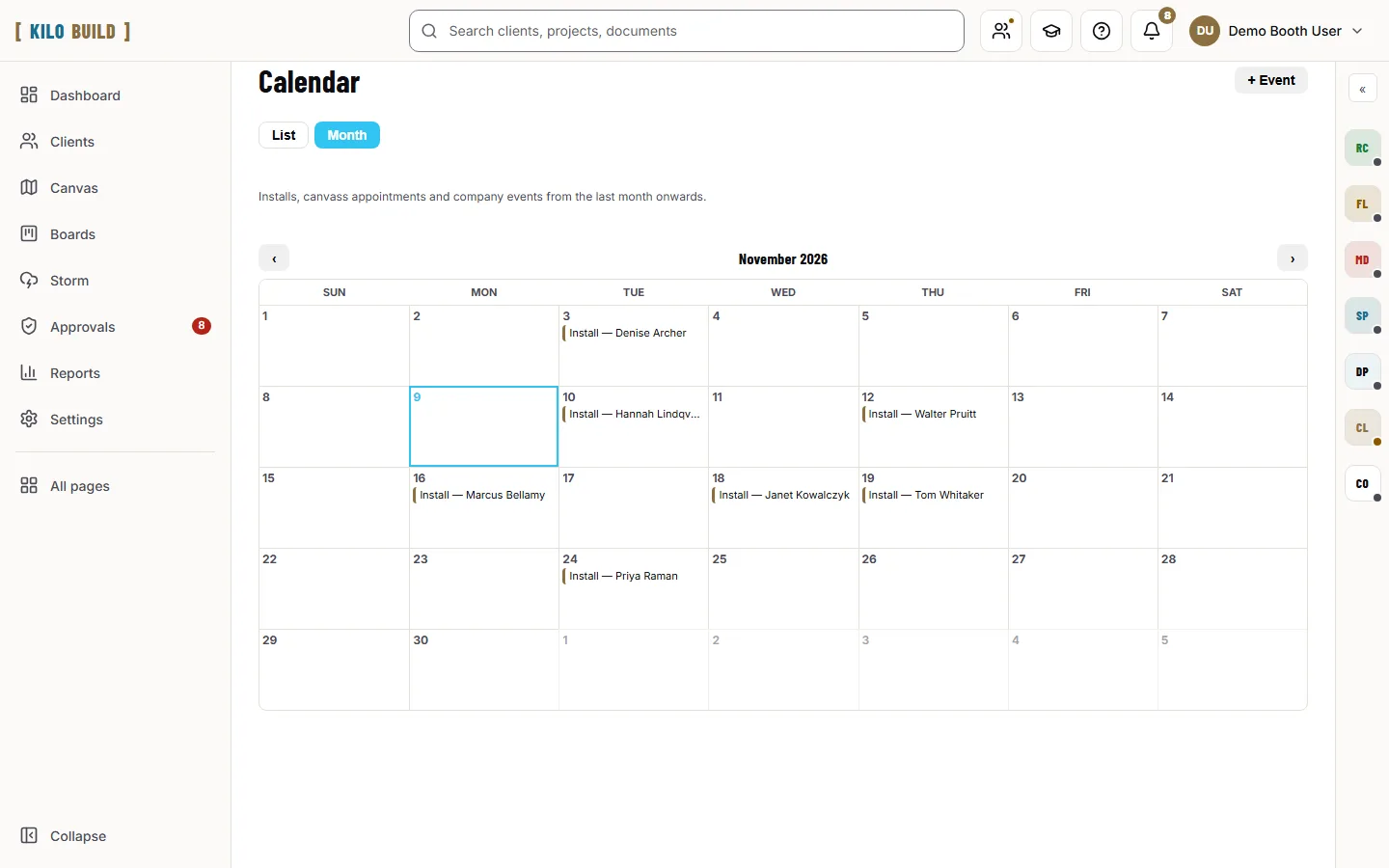
Crews and dates on one calendar
Put the crew and the date down once. The crew sees it on a phone, and crews ride free.
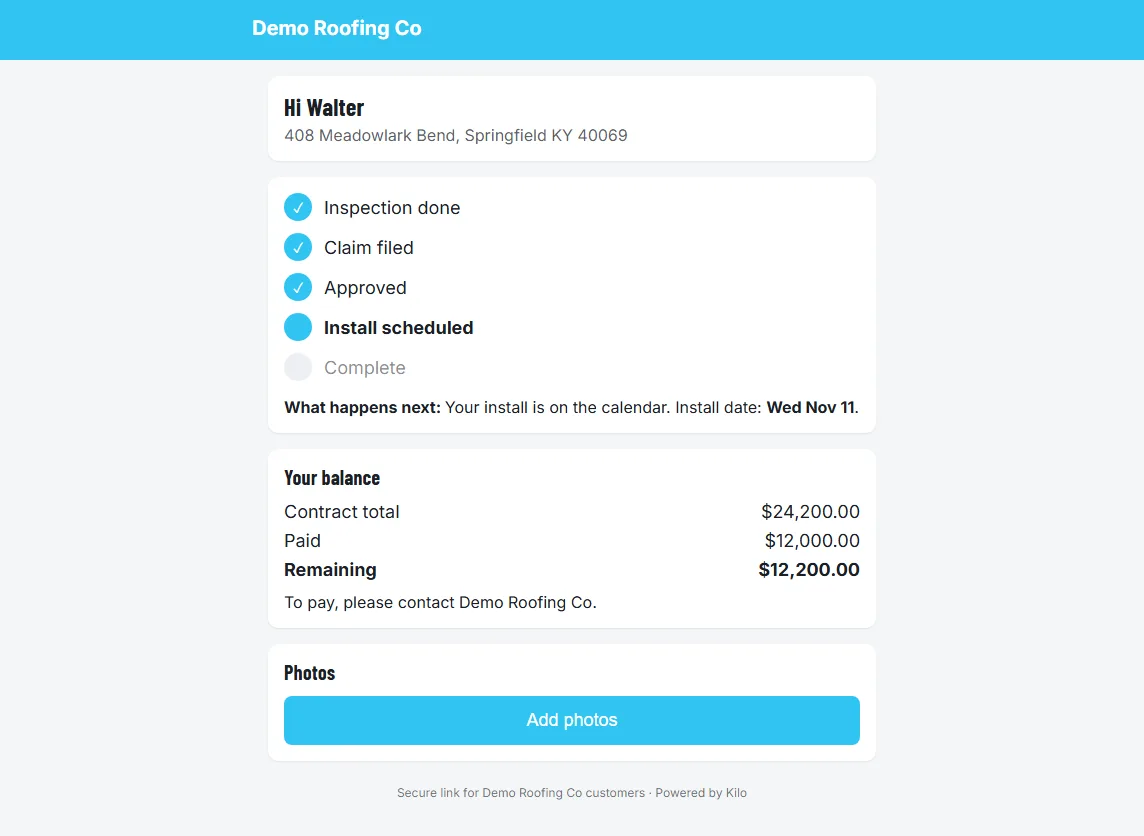
The homeowner stays informed (coming soon)
Coming soon: a page where your homeowner sees progress and next steps.
Ask about any job (coming soon)
Coming soon: ask about any job in your team chat and get the answer from the job card.
Coming soon Concierge is not available yet, so there is nothing to show.
KILO. THE AI OPS TEAM.
Ready to run your own jobs this way?
Founding members: enter FOUNDER25 when you start a paid package.